SERVICE MANAGEMENT MODULE

A Service Workflow That’s Built to Scale.

Run a faster, more accountable service division — from the first call to the final invoice — all inside Centerpoint.

1

Step 1: Log the Request

Capture Every Service Call - Instantly and Accurately.

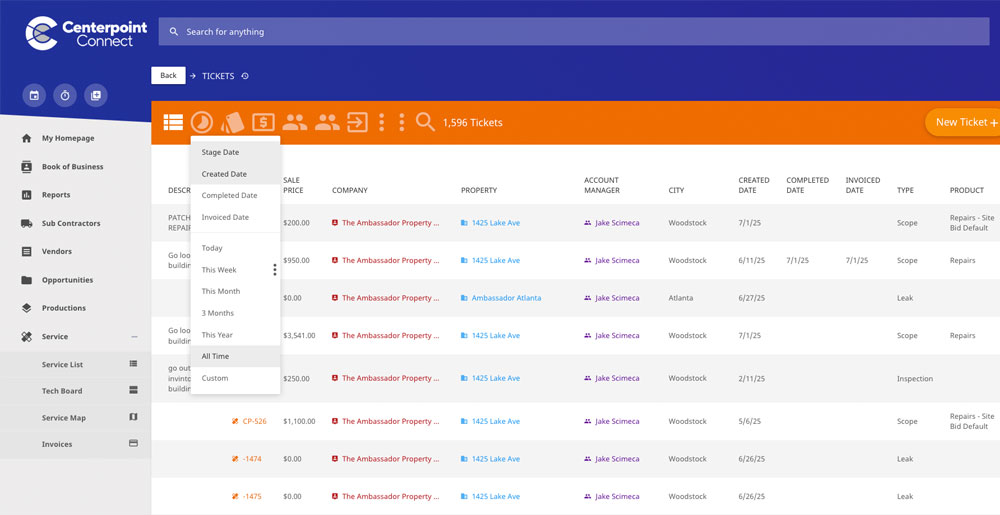
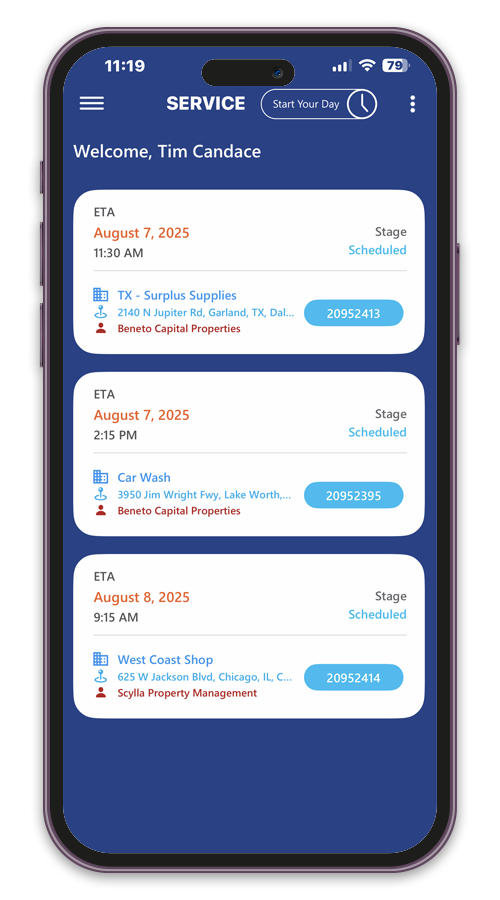
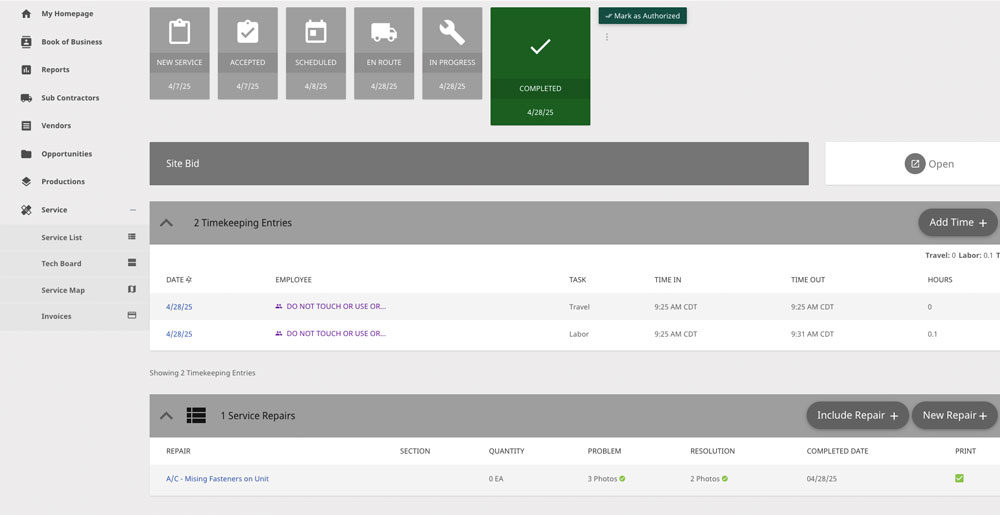
Whether it’s a leak repair, warranty visit, or recurring inspection, every request is entered into a centralized service board. Assign it by region, or client, and ensure your team sees exactly what needs attention.
Feature Highlights:
Roofing service ticket request dashboard
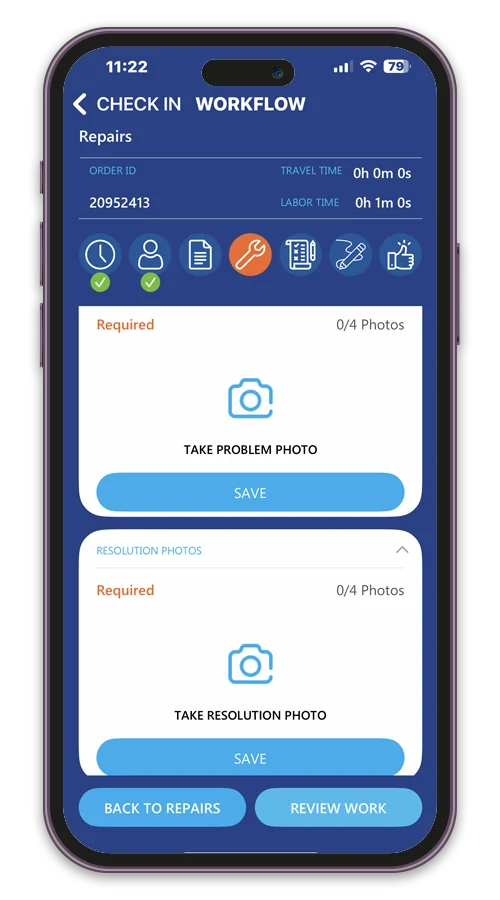
Mobile app for logging roofing service requests
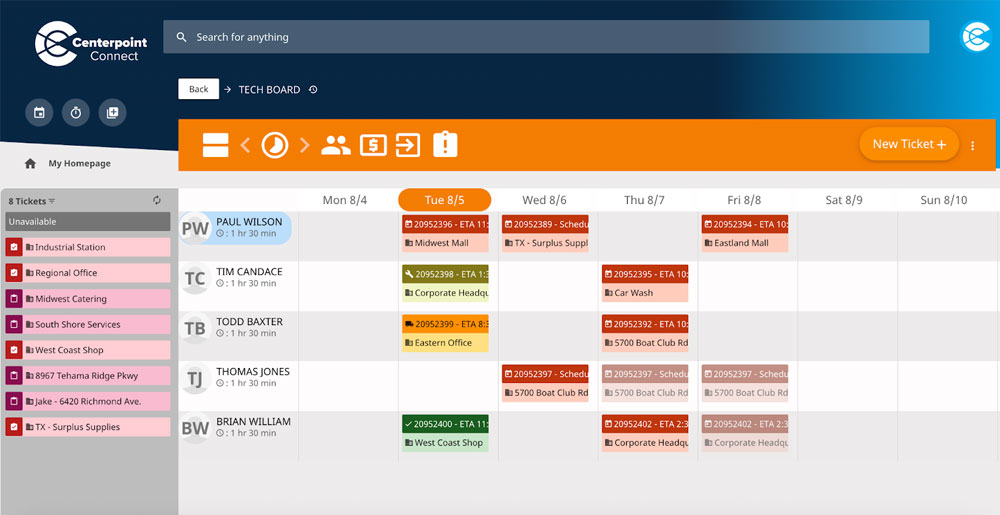
Roofing service technician dispatch schedule
roofing repair icon
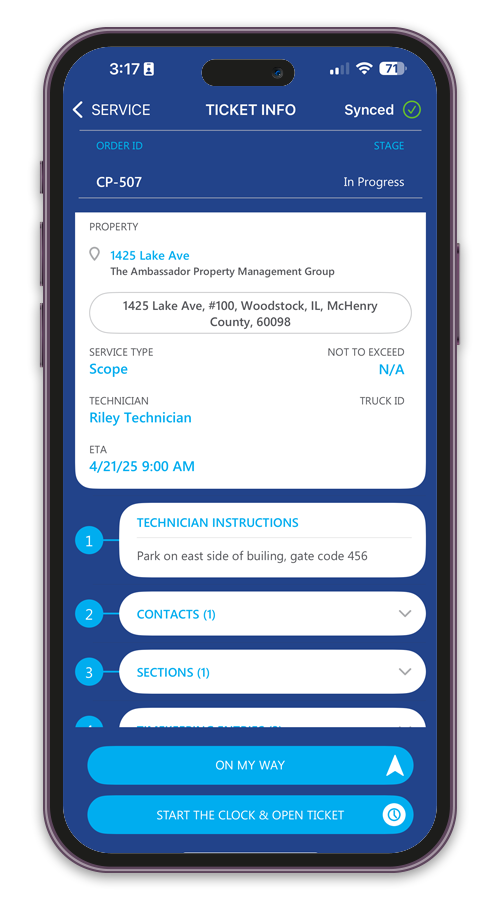
Mobile technician dispatch and job details
2

Step 2: Dispatch the Technician

Send the Right Tech
with the Right Info.

Easily schedule service work based on technician availability and location. Technicians receive mobile alerts with access to scope, directions, and job files – without relying on phone calls or paper packets.
Feature Highlights:
3

Step 3: Complete & Document the Work

Everything Your Techs Need - In Their Pocket.

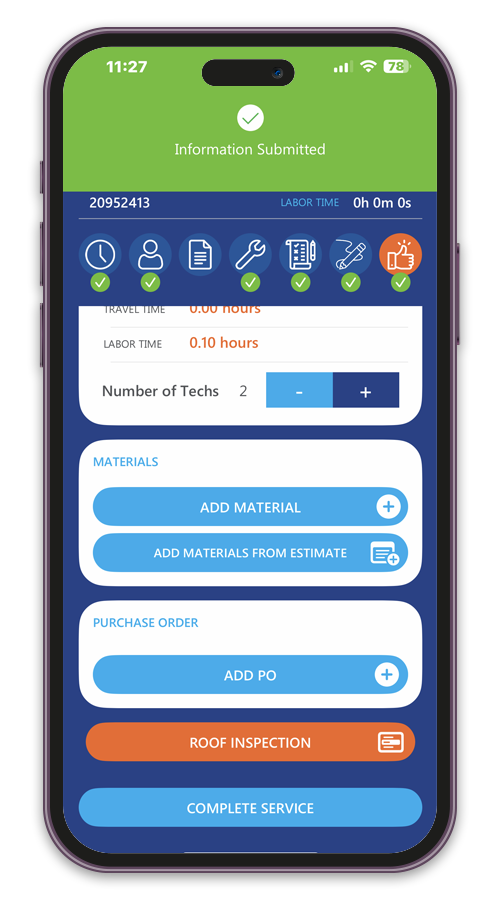
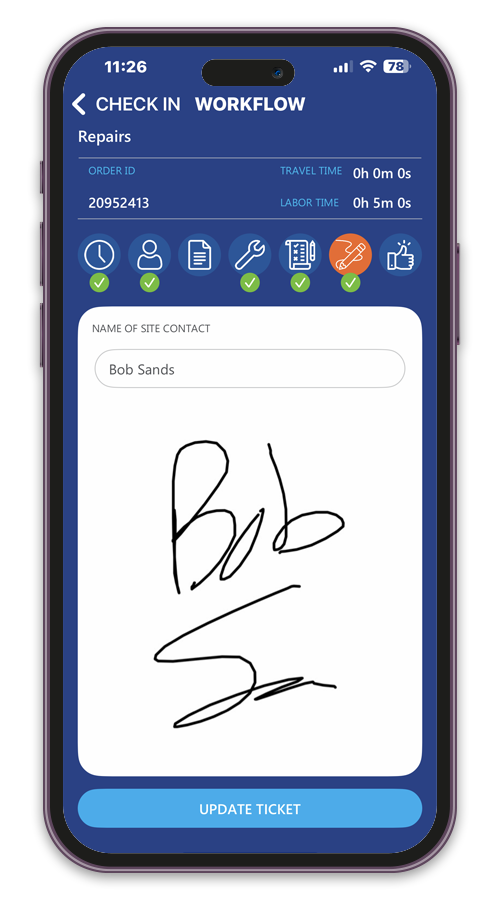
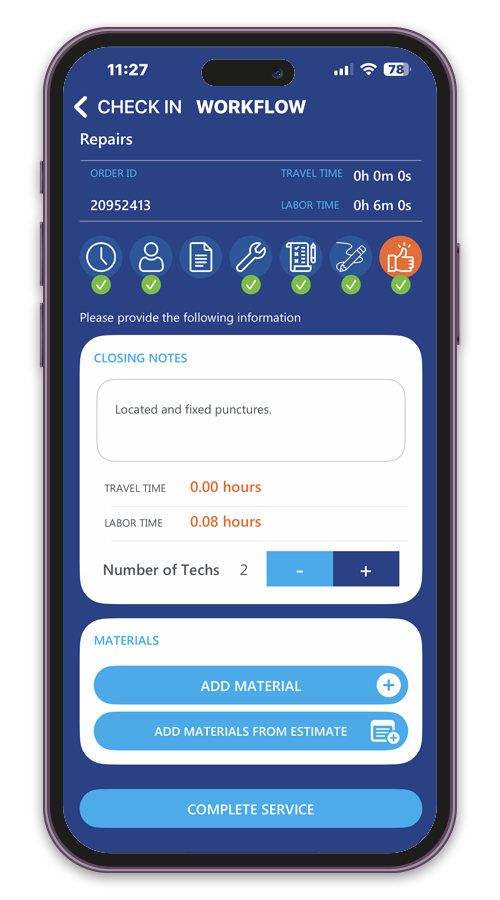
Once dispatched, technicians can log work performed, take photos, collect signatures, and track materials – all from the field. Everything syncs back to the office, so your team can close jobs faster and with full visibility.
Feature Highlights:
Service technician dispatch board
Service technician dispatch board app
Roofing service ticket review
checklist icon
Roofing service review workflow
4

Step 4: Supervisor Review

Review, Verify, and Approve Before You Bill.

Supervisors get full access to completed ticket details. Review labor entries, check field photos, and ensure everything meets quality standards before moving the job forward. It’s quality control – built into the workflow.
Feature Highlights:
5

Step 5: Notify the Client

Keep Clients Informed When Service Is Complete.

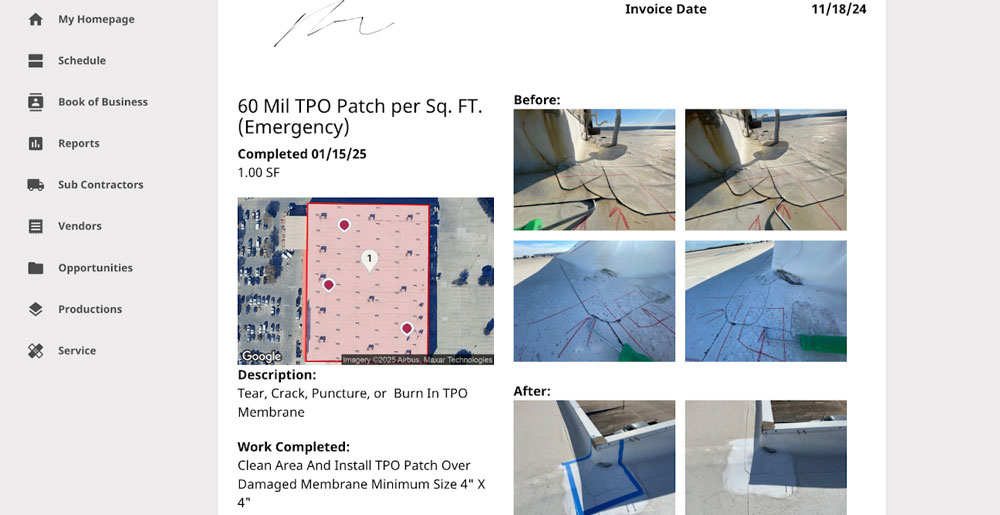
Once service work is complete, your team can notify the client by email. The job summary, service details, and supporting photos can be delivered with the invoice, giving the client a clear record of the work performed.
Feature Highlights:
Roof repair job summary sent to client
Roof repair site sign-off completed
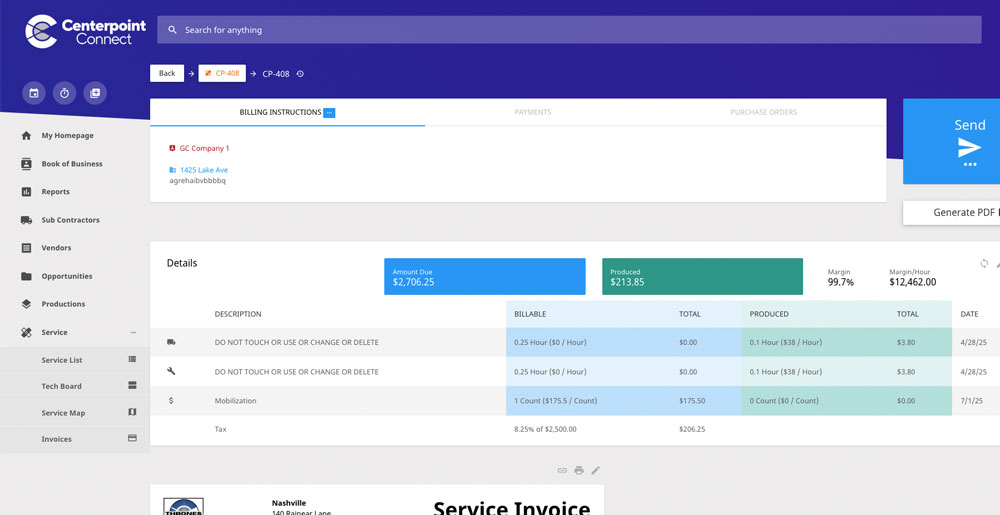
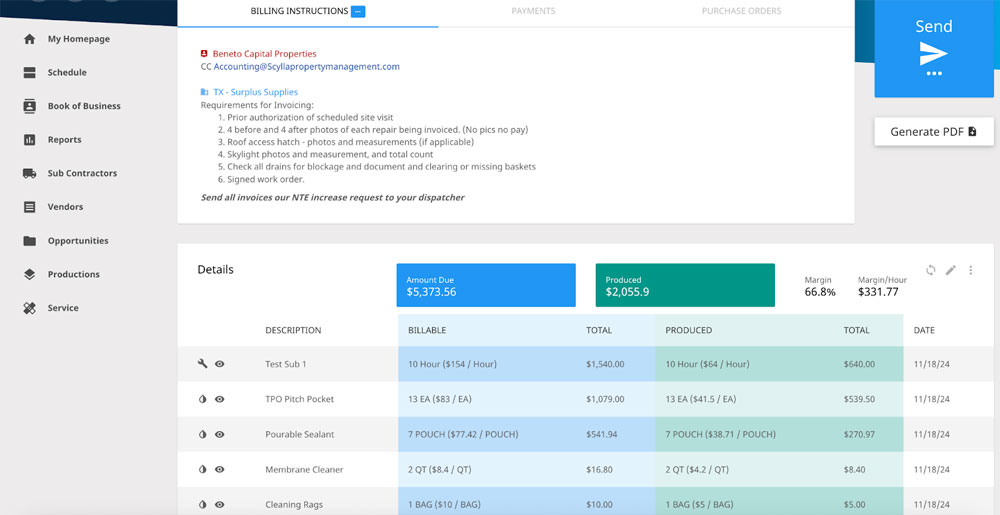
Roofing service invoicing and job cost breakdown
Mobile roofing invoice workflow
invoice icon
6

Step 6: Invoice & Sync

Get Paid Faster with No Gaps Between Field and Office.

Once the job is reviewed and approved, it’s ready for billing. Centerpoint automatically pulls in labor, materials, and markup – generating an invoice that can be synced with QuickBooks or your ERP system.
Feature Highlights:

Trusted by More than 250 Roofing Contractors Across North America.

Scroll to Top